
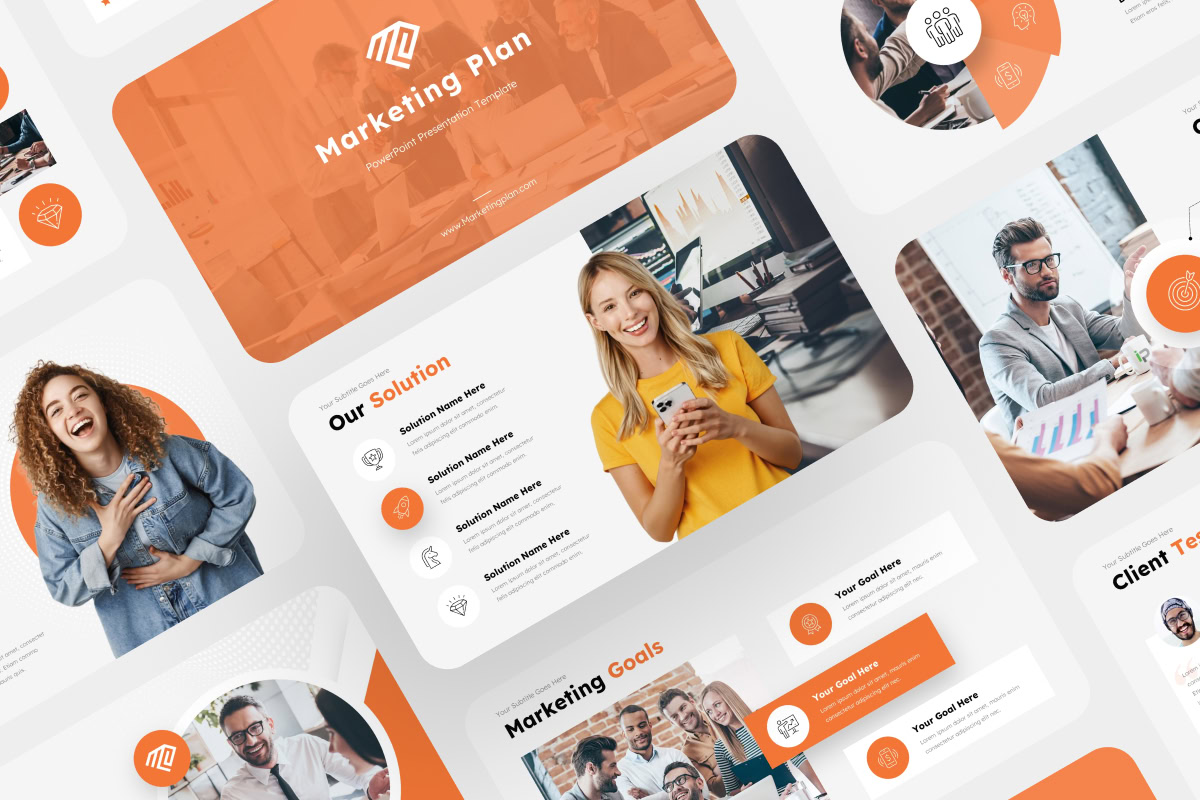
One template. Every presentation — on-brand, on time, every time.
Your team creates presentations constantly — sales decks, project updates, quarterly reports, client proposals. But without a proper template, every deck looks slightly different, takes too long to build, and reflects inconsistently on your brand. We design custom PowerPoint templates your team can actually use — intuitive layouts, built-in brand guidelines, and flexible slide structures that make great presentations faster to create.
1.
Visual
Every template is designed with visual hierarchy in mind — so your content looks polished even before a designer touches it.
2.
Consistency
Colors, fonts, layouts, and spacing are locked into a master slide system. Anyone on your team can build a new deck and it looks like it came from the same place.
3.
Usability
We design for real people, not designers. Your template will be intuitive to edit, easy to customize, and built to speed up your team’s workflow.
4.
Affordability
Custom templates starting at $450. A one-time investment that saves your team hours every week and reduces the time spent rebuilding slides from scratch.
Templates We've Built
Here are some of the template designs we’ve created for clients across various industries:

A medical consulting firm needed a template flexible enough for proposals, case study decks, and client reports — all under one visual system. We delivered a 14-layout template with custom icons, color-coded section headers, and a slide master that kept every deck on-brand automatically.
A tech startup needed a pitch-ready template their founders could update in minutes before each investor meeting. We designed a 16-slide system with editable chart styles and built-in data visualization layouts — no design tool needed.


An insurance group was spending 3+ hours per week reformatting reports for different clients. We built a modular report template — 16 layouts covering data summaries, trend charts, and executive summaries — that cut their formatting time by more than half.
Templates for Every Use Case
We create a wide range of templates tailored to different needs, helping you deliver compelling presentations for any occasion:
Pitch Deck Template
Perfect for startups and entrepreneurs, this template is designed to highlight your business idea, showcase growth potential, and engage investors.
Business Plan Template
A comprehensive layout for presenting your business model, market analysis, and financial forecasts in a clear, professional format.
Annual Report Template
This template makes it easy to present your company’s yearly performance with data-driven visuals and a clean, professional design.
Marketing Template
Ideal for presenting marketing strategies, campaigns, and performance metrics with engaging visuals that help tell your brand story.
Training Template
Designed for workshops and educational sessions, this template allows you to present complex information in an organized, easy-to-follow format.
Consulting Template
For consultants looking to pitch their services or provide reports, this template helps you present insights, solutions, and recommendations with clarity.
Project Template
A project management tool for presenting timelines, milestones, and deliverables in a visually appealing, structured format.
Proposal Template
This template helps you create professional proposals with a persuasive layout, clearly outlining the benefits and solutions you’re offering.
Our Presentation Template Design Packages
One-time investment. Unlimited use. Works in PowerPoint, Google Slides, Keynote, or Figma.
Template Essentials
For teams that need a clean, easy-to-use presentation template-
Up to 10 layouts and slides
-
Brand color and typography setup
-
Master slide structure
-
Icon and style integration
-
Easy-to-edit design system
Template Pro
For businesses that need more flexible layouts and structured design.-
Up to 20 layouts and slides
-
Custom icons and visual elements
-
Chart and diagram styles
-
Advanced master slide setup
-
Brand-aligned visual system
Template Ultimate
For organizations needing a comprehensive template with a wide variety of layouts.-
Up to 40 layouts and slides
-
Flexible layout variations
-
Custom infographics and diagrams
-
Advanced master slide setup
-
Complete presentation system
How We Build Your Template
We’ll work closely with you to create a PowerPoint template that’s professional, easy to use, and perfectly aligned with your brand. Here’s how it works:
1.
Discovery
We review the types of presentations your team creates most often and what platform you’re building on. We ask about your brand guidelines, your team’s design confidence, and any existing templates you’ve outgrown.
2.
Design
We design all layouts using your brand colors, fonts, and visual style — creating flexible structures that work for different content types without looking like they were forced together.
3.
Build
We build the template natively in your platform of choice — PowerPoint, Google Slides, Keynote, or Figma. The Slide Master is fully set up, so your brand settings apply automatically to every new slide.
4.
Review
We walk you through the finished template, explain how to use it, and make any final adjustments. You leave with a file that’s ready to hand to your whole team.
Stop Rebuilding Slides from Scratch
Start building your brand template.
How We’ve Helped Businesses Succeed
FAQs
How is a custom template different from downloading a free one?
Free templates are built for everyone — which means they’re perfect for no one. A custom template uses your exact brand colors, fonts, and visual language. Your team can open it and start building immediately, without adjusting a single style.
Can my whole team edit it without design experience?
Yes. We design specifically for non-designers. Layouts are intuitive, styles are locked into the master, and content areas are clearly labeled. If your team can type, they can use this template.
Can we use it for different types of presentations?
That’s the point. Every package includes multiple layouts — cover slides, content slides, data slides, closing slides — so your team can mix and match for any presentation type.
Do you design for Google Slides or Keynote too?
Yes. We build for PowerPoint most often, but we deliver in Google Slides, Keynote, or Figma too. Just tell us what you use.
How long does it take?
Template Essentials: 3 business days. Template Pro: 4 business days. Template Ultimate: 1 week.
What industries do you work with?
We work with clients across multiple industries, including technology, healthcare, finance, consulting and more. Our templates are customized to fit the unique needs of each industry and business.
How much does it cost?
Our presentation template design packages typically range from $450 to $1,500, depending on the number of layouts and the level of customization.
If you need a tailored template system for your team, feel free to contact us for a custom quote.